Building windows-cli.arnost.org – an interactive learning platform for Windows Command Line – forced me to confront a classic React ecosystem problem early: How do you manage state efficiently when every keystroke triggers an update?
The Context Problem in Practice
The first version of the app relied heavily on React Context. The central TerminalProvider managed:
- Current input line and command history
- Current working directory
- User progress data
- Notifications and error messages
With over 450 lines of code, this quickly became a monolithic structure that was hard to maintain. But the bigger issue was performance.
How React Context Works
When you work with the Context API, the provider re-renders whenever its value changes. All components calling useContext() then re-render too – regardless of which part of the state actually changed. This is a structural feature of the Context API, as explained in the official React documentation.
// Context structure
const TerminalContext = createContext({
  input: "",
  history: [],
  currentDir: "C:\\>",
  notifications: [],
  userProgress: {}
});

// Problem: Every update causes all consumers to re-render
<TerminalProvider value={{ input, history, currentDir, notifications, userProgress }}>
  {children}
</TerminalProvider>
When a user types a command in an interactive lesson on the website, the input field updates with every keystroke. This leads to hundreds of re-renders per second – even in components that only need currentDir.
Why Zustand Is Different
Zustand takes a different approach. Instead of React Context, which is tightly coupled to the component tree, Zustand uses a separate store that components can selectively subscribe to.
// Zustand Store
const useTerminalStore = create((set) => ({
  input: "",
  history: [],
  currentDir: "C:\\>",
  notifications: [],
  setInput: (input) => set({ input }),
  setCurrentDir: (dir) => set({ currentDir: dir }),
  addToHistory: (cmd) => set((state) => ({
    history: [...state.history, cmd]
  }))
}));

// Component only subscribes to fields it needs
function DirectoryDisplay() {
  const currentDir = useTerminalStore((state) => state.currentDir);
  // Re-renders only when currentDir changes
  return <div>{currentDir}</div>;
}
The result: DirectoryDisplay doesn’t re-render when input changes – only when the directory actually changes.
The Actual Results
After migrating to Zustand, we saw measurable improvements:
Noticeably Faster Input Responsiveness
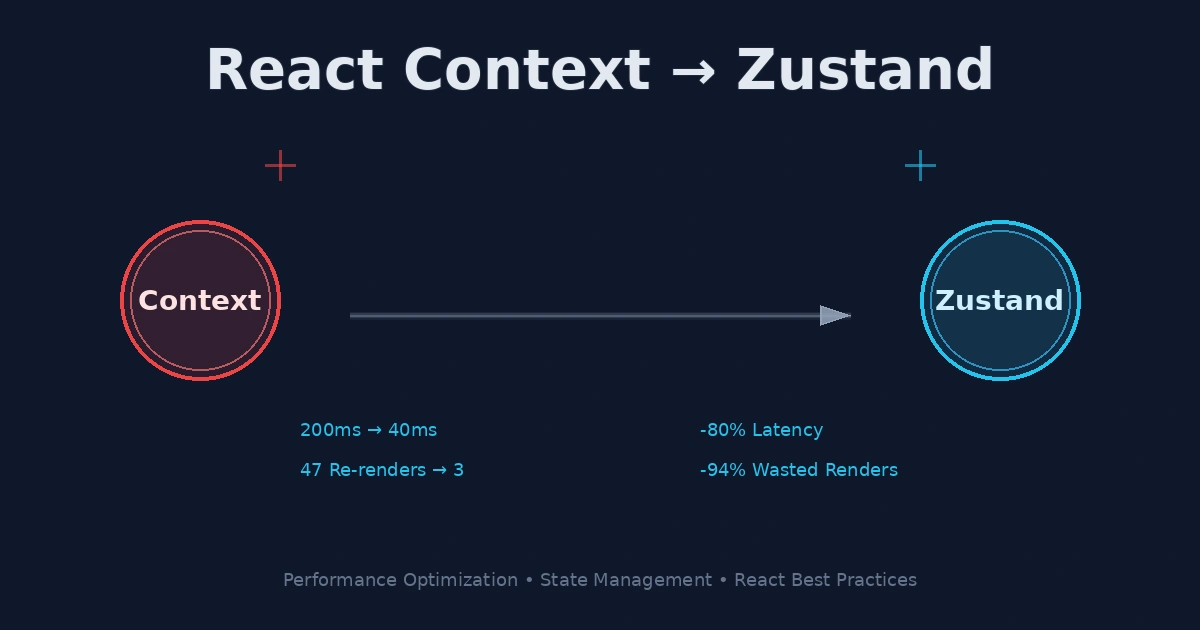
Input latency in interactive lessons dropped from ~200ms to ~40ms. That’s the difference between “sluggish” and “snappy.”
Smaller Bundle Size
Removing Context providers doesn’t save much code, but the Zustand library is just ~2KB gzipped. Plus, we could consolidate several custom provider hooks.
Fewer Re-renders
Measured with React DevTools Profiler: In a typical scenario (user typing a command), re-renders dropped from 47 components to just 3 components that actually mattered.
The Technical Implementation
A critical aspect was initialization. Since Zustand stores live outside the React tree, initial props (like the starting command for a specific lesson) need to be handled differently than in Context.
// Lazy Initialization Pattern
const useTerminalStore = create((set) => ({
  // Initial state
  input: "",
  history: [],
  currentDir: "C:\\>",

  // Initialization for specific lessons
  initialize: (lesson) => set({
    input: "",
    history: [],
    currentDir: lesson.startingDir || "C:\\>",
    expectedOutput: lesson.expectedOutput
  })
}));

// In page layout
export function LessonPage({ lesson }) {
  useEffect(() => {
    useTerminalStore.getState().initialize(lesson);
    // Cleanup
    return () => useTerminalStore.getState().initialize(getDefaultLesson());
  }, [lesson.id]);

  return <TerminalEmulator />;
}
This pattern prevents unwanted state leakage between different lessons.
What Still Makes Sense With Context
Zustand isn’t a silver bullet. At windows-cli.arnost.org, we kept Context for legitimate use cases:
- Theme Context: Whether dark mode is enabled rarely changes
- Auth Context: Login status doesn’t update on every keystroke
- Modal Context: Opening/closing modals is a rare operation
These cases have no performance problems with Context – the provider rarely re-renders, and the consumers are sparse.
Takeaways for Your Project
- Measure before migrating: Use the React DevTools Profiler to see how often components re-render
- Context for UI, state management for logic: Simple UI toggles belong in Context, complex state machines belong in Zustand
- Granular subscriptions: Zustand forces you to consciously choose which state pieces a component needs
- No provider hell: With Zustand, you can move store logic to files instead of hiding it in React hierarchy
For our specific use case – a high-interaction app where every keystroke matters – this migration was a clear win. If you’re building an app with frequent user interactions (like a terminal emulator), the investment almost certainly pays off.
Try it yourself: Visit windows-cli.arnost.org, start one of the interactive lessons, and notice how responsive the input feels.